Options (Ladder Upgrades)
Provide ladder upgrades for your products with options.
Feature only available in store version v16.0.0 and later.
Overview
Product Options are a feature designed to lead upsells by allowing customers to add additional features or enhancements to a base product during the purchase process.
Options are similar to Addon Products but are intended to be used together with Addon Products rather than as a replacement. They also differ in that they don't ship any files; instead they serve as redeemable perks, like extended support, priority access, EULA modifications, or other non-tangible benefits.
How it works
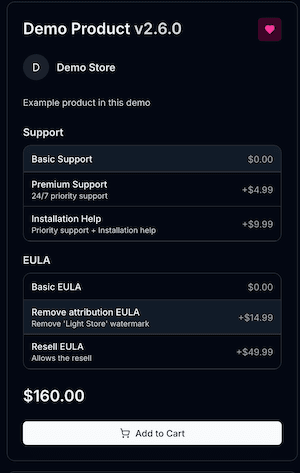
Once added, they appear on the product page as selectable options, and their prices are added to the total cost of the product in the cart.
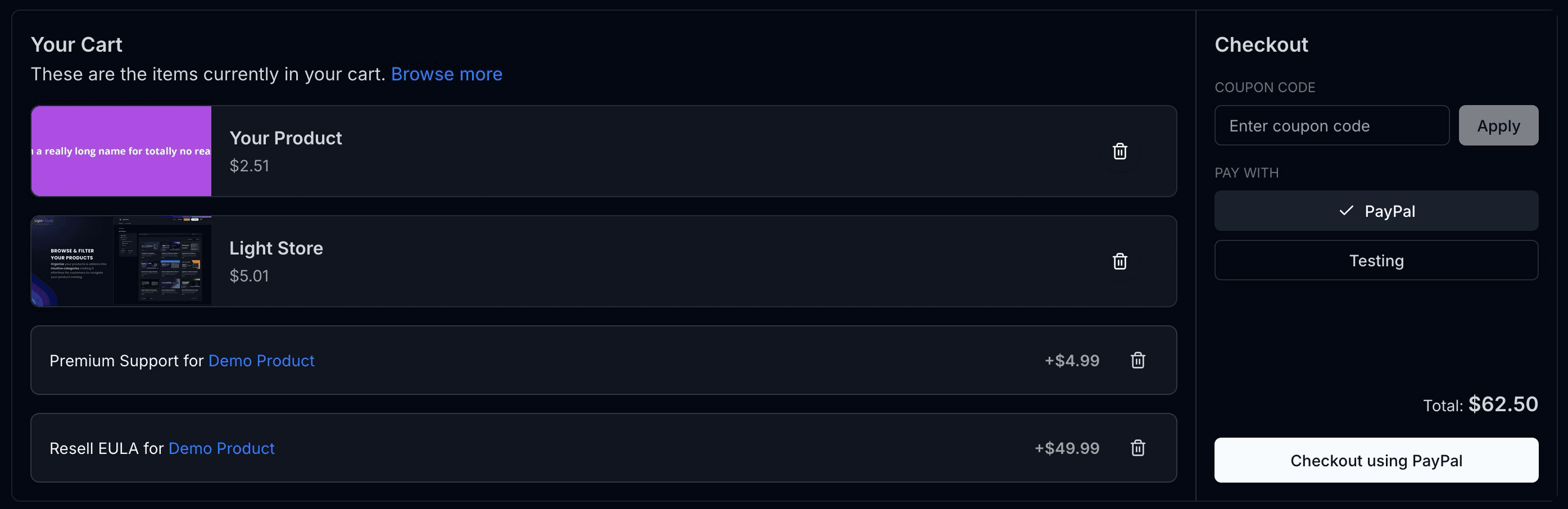
When products and the selected options are added to the cart, the options are displayed alongside the product in the cart modal.
Setting up Options
In your creator dashboard, navigate to the "Products" section and select the product you want to add options to. In the product edit view, go to the "Options" tab.
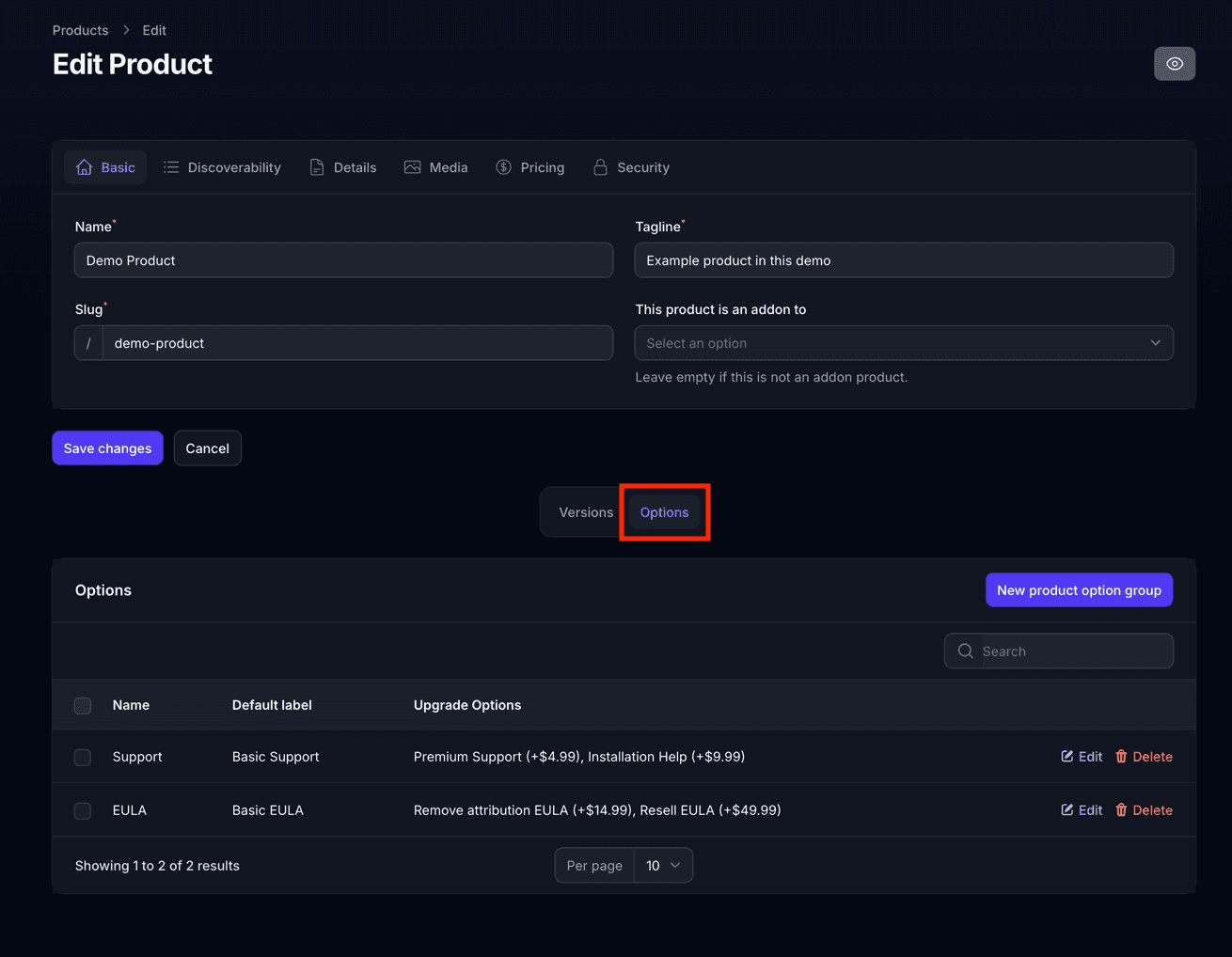
To start creating options, you will need a Product Option Group. Product option groups hold multiple upgradable options. Only one option can be selected from each group per product purchase, but multiple options can be bought if the user comes back to the product page after the initial purchase.
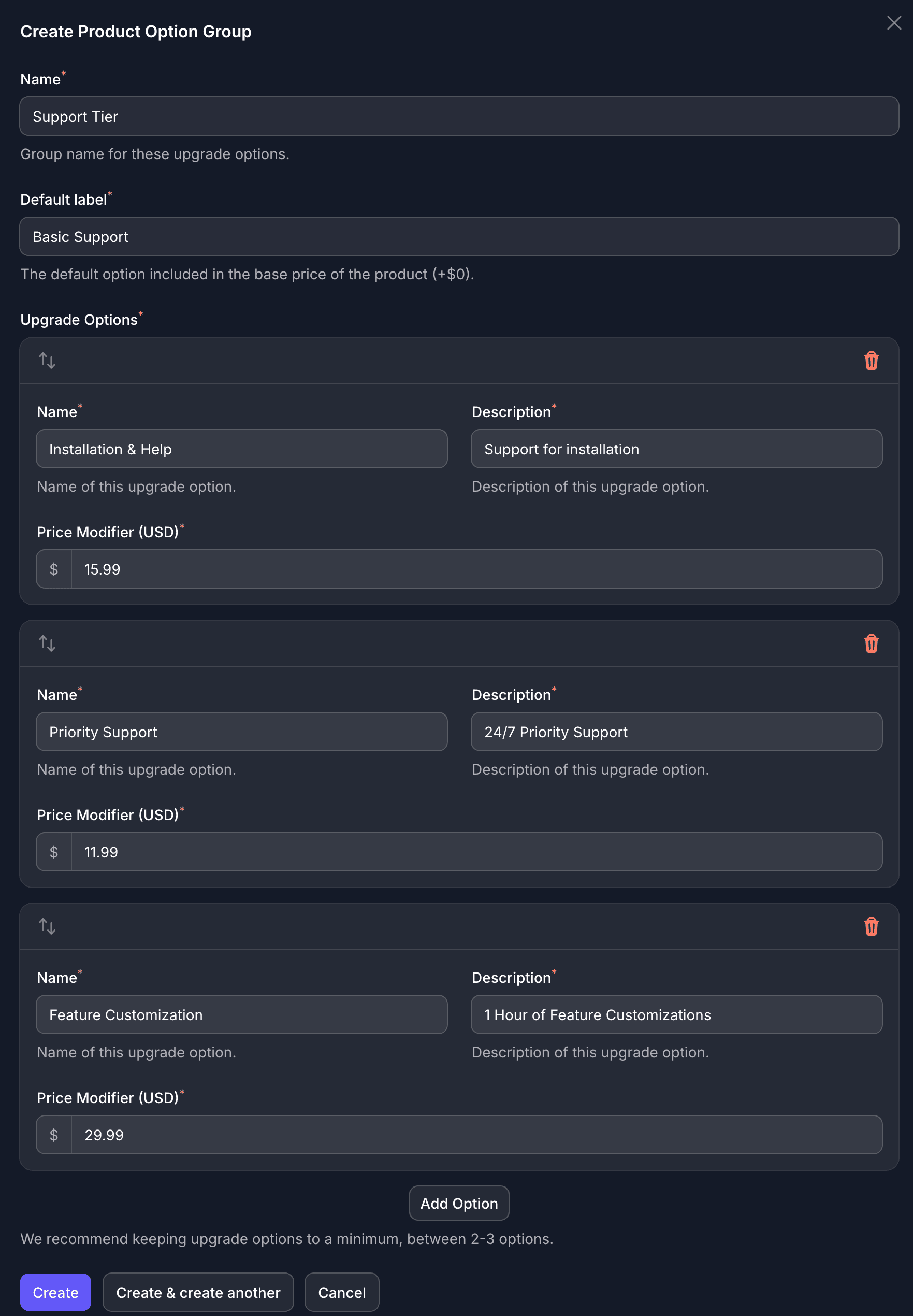
To create a new option group, click on the "Create Option Group" button.
Provide the:
- Name of the group (like, for example, "Support Tier"),
- The default (basic) tier label, for example "Standard Support" (this option is always Free and included with the product purchase),
- The upgrade options, like Installation & Support, Priority Support, Feature Customization and their respective prices. You may add however many upgrade options you want, but it is recommended to keep it brief (up to 3 options per group).
Prices for upgrade options are automatically converted to all other available currency according to the store's currency rates.
Managing licenses for Options
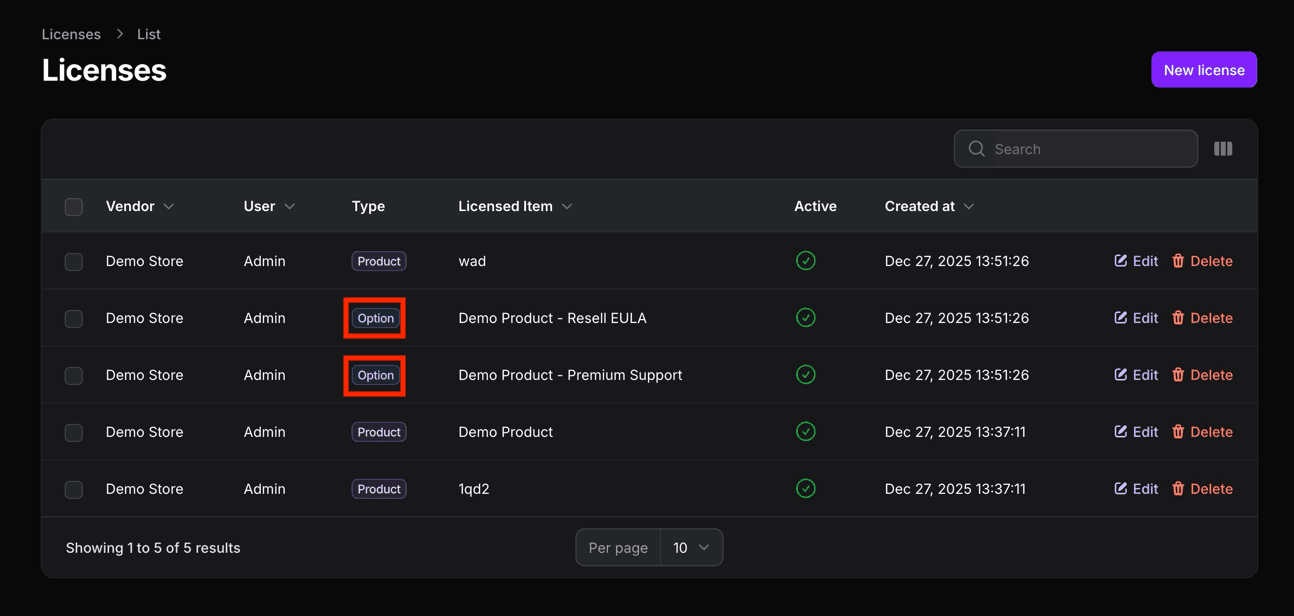
You may want to create, edit or monitor licenses for options purchased by your customers. Since options are not tangible products, they don't have files associated with them, but licenses are still made for them, with a special type badge. These can be viewed from both the creator and admin dashboards.